产品Products

Organize

开源 · Mac 桌面应用 · 命令行支持 Mac、Windows、LinuxOpen source · Mac app · command line for Mac, Windows, and Linux

选择文件夹后扫描。确认之前不会改动任何文件。处理全程在这台电脑上。Choose a folder, then scan. Nothing changes until you confirm. Files stay on this computer.

macOS 14+ · Apple Silicon(M 系列)· 早期体验版。尚未经过 Apple 公证,系统可能阻止打开;请勿关闭系统安全保护。macOS 14+ · Apple Silicon (M-series) · Early access. Not Apple notarized; macOS may block opening. Do not disable system security protections.

正在查询安装包;也可通过发布记录确认是否已有 DMG 附件。Checking for an installer. You can also check Releases for a DMG attachment.

  1. 选择方案Choose a plan
  2. 设置文件夹Set folders
  3. 扫描Scan
  4. 预览Preview
  5. 整理Organize
  6. 结果Result
organize 首页,四个整理工具:分类整理、照片归档、旧安装包和重复文件
四个工具,先预览再整理Four tools, preview first 分类整理只移动、不删除。照片按修改日期归档。旧安装包移入隔离区,可以恢复。重复文件要内容逐字节相同,保留哪一份由你选择。上次整理可以撤销,永久删除显示为从不。 Sorting by type only moves files. Photos are filed by modification date. Old installers go to quarantine and can be restored. Duplicates must match byte for byte, and you choose which copy to keep. The last run can be undone, and permanent deletion is shown as never.
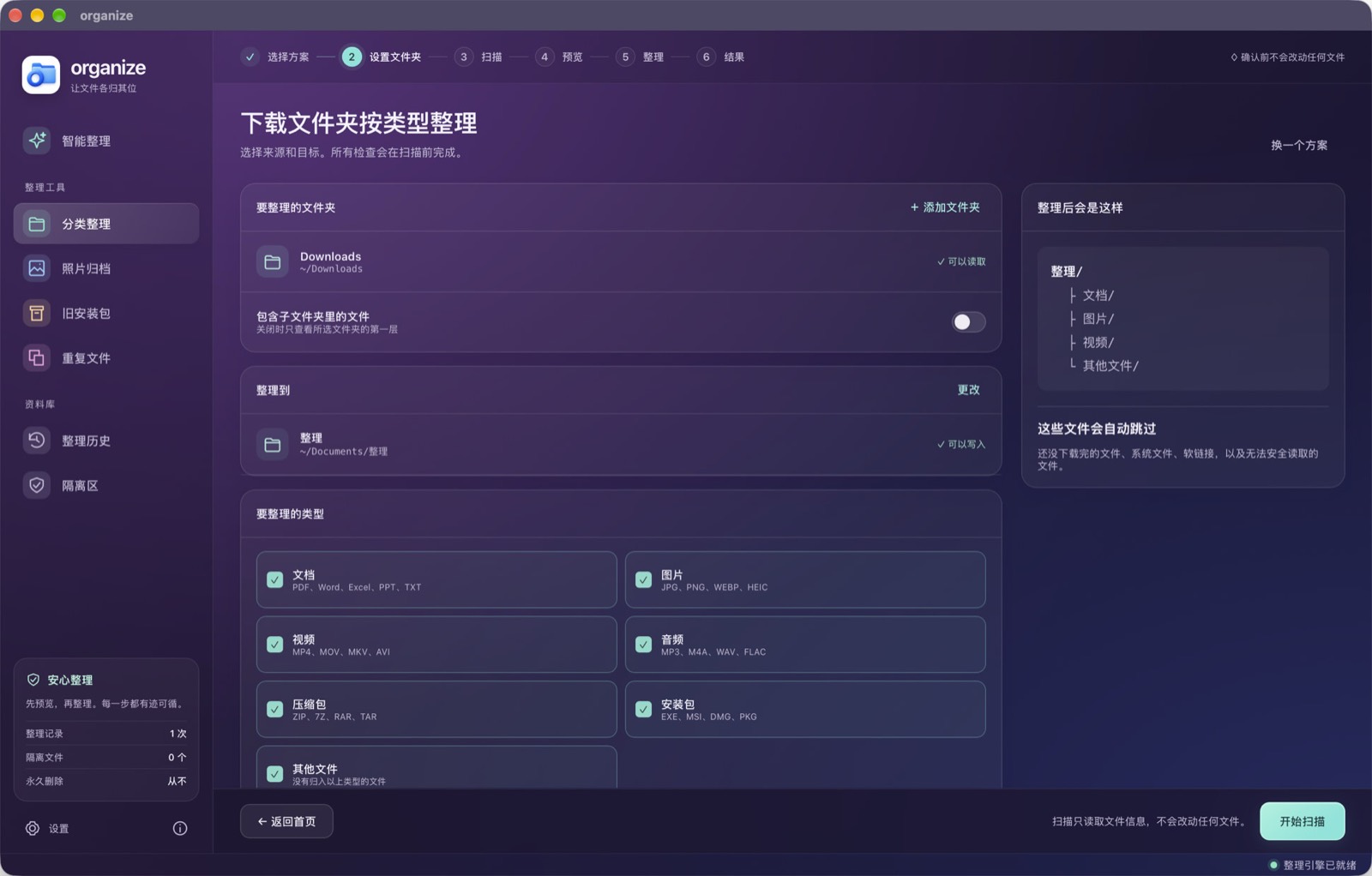
按类型整理的设置页,来源是下载文件夹,目标是文档中的整理文件夹
按类型归类Sort by type 选定来源和目标文件夹。文档、图片、视频、音频、压缩包、安装包和其他文件可以分别勾选。默认只看所选文件夹的第一层。扫描只读取文件信息;没下完的文件、系统文件、软链接和读不了的文件会跳过。 Pick a source folder and a destination. Documents, images, video, audio, archives, installers, and other files can each be included. By default only the top level of the chosen folder is scanned. A scan only reads file information. Incomplete downloads, system files, symlinks, and unreadable files are skipped.
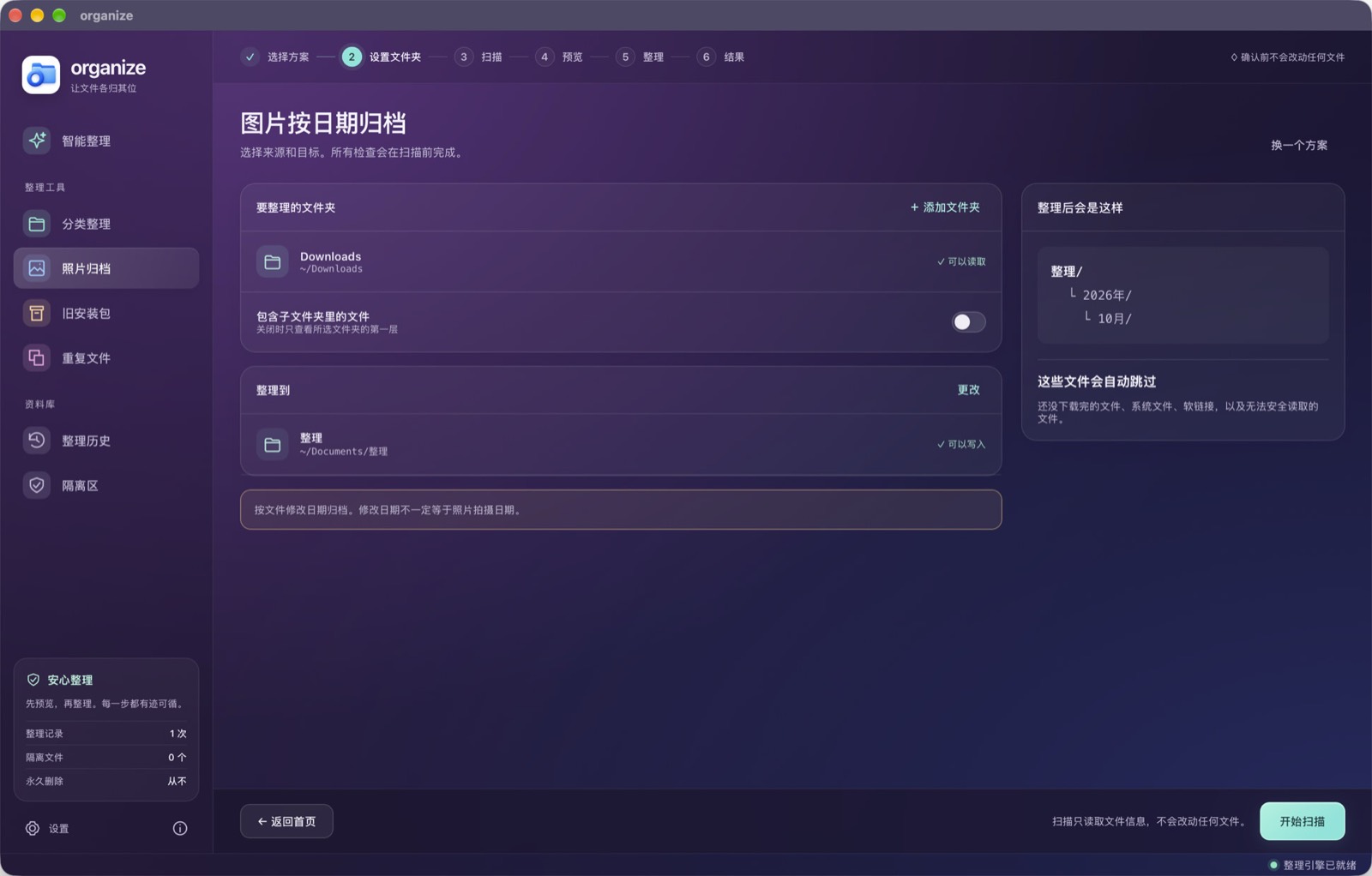
图片按日期归档的设置页,结果放在整理文件夹下的年份和月份目录
按修改日期归档File by modification date 照片和截图放进「年 / 月」文件夹。这里用的是文件修改日期,不一定是拍摄日期。 Photos and screenshots go into year and month folders. The date used is when the file was last modified, which is not necessarily when the photo was taken.
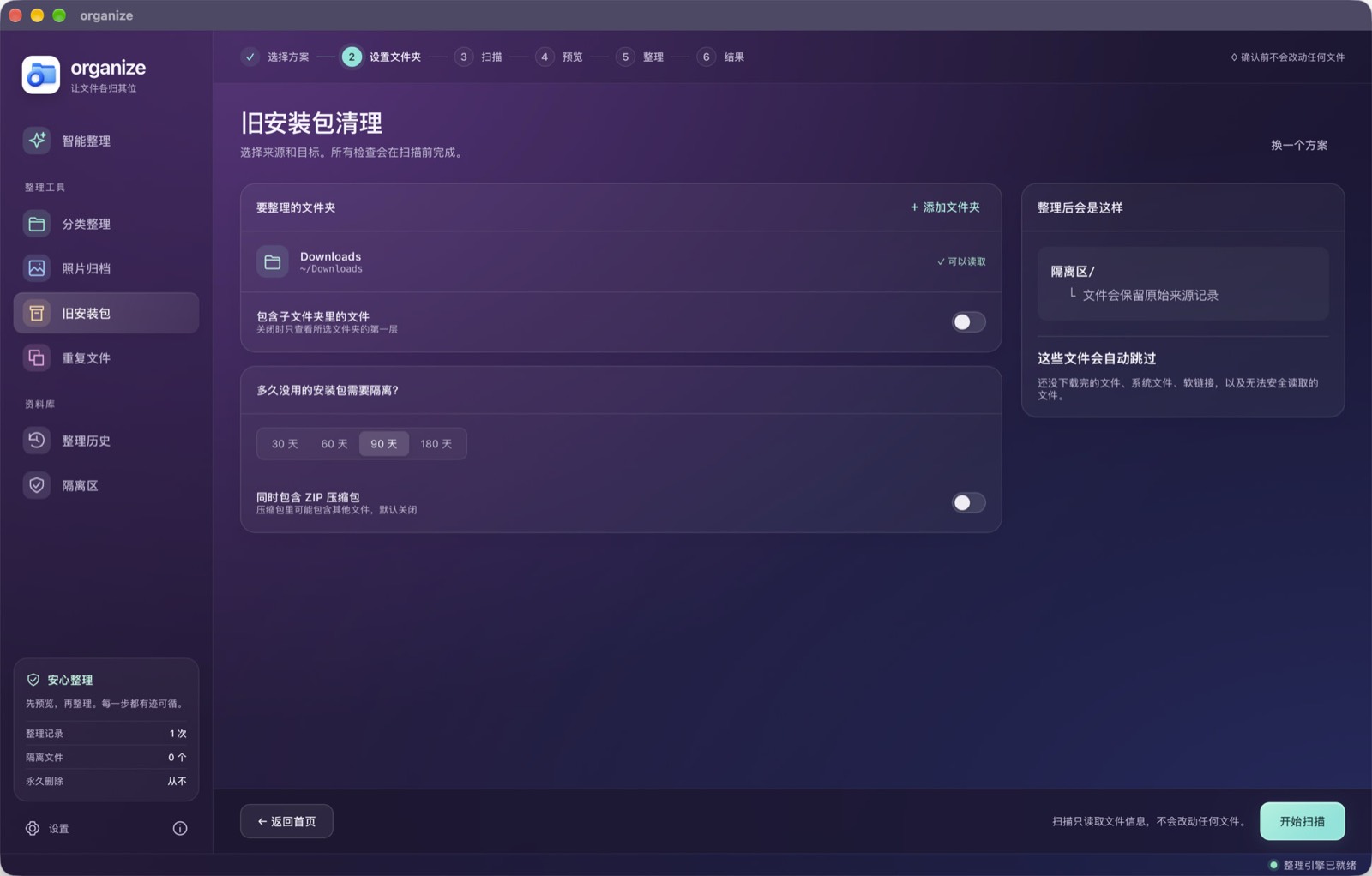
旧安装包清理的设置页,可选 30、60、90 或 180 天,并移入隔离区
旧安装包进隔离区Old installers go to quarantine 可以选择超过 30、60、90 或 180 天的安装包。文件移入隔离区,并保留原来的来源记录。ZIP 压缩包默认不包含,因为里面可能还有别的文件。 Choose installers older than 30, 60, 90, or 180 days. They move into quarantine, which keeps a record of where they came from. Zip archives stay out unless you turn that option on, because an archive can hold other files.

命令行Command line

同一套整理也可以写成规则,在 Mac、Windows 和 Linux 上运行。下面这条规则把下载文件夹里的 PDF 移到文档中的发票目录。The same kind of cleanup can be written as rules and run on Mac, Windows, and Linux. This rule moves PDFs from Downloads into an invoices folder.

rules:
  - name: Invoices
    locations: ~/Downloads
    filters:
      - extension: pdf
    actions:
      - move: ~/Documents/Invoices/

保存后运行 organize sim,先看将要发生的变化;确认之后再运行 organize run。安装包名是 organize-tool,代码以 MIT 许可公开。Run organize sim to see what would change, then organize run when it looks right. The package name is organize-tool. The code is MIT licensed.

源码SourceMIT